


Running an online business today involves much more than just creating a website with an ecommerce website builder or online store builder. You also need to handle payments, manage products, track orders, understand customer behavior, and market your business effectively. That’s where ecommerce tools come in.
The right ecommerce tools help you save time, reduce manual work, improve the shopping experience, and make better business decisions. For small businesses, creators, local sellers, and startup brands, these tools can make the difference between a messy online setup and a store that actually runs smoothly.
Global e-commerce revenue is projected to exceed $8 trillion by 2028.
That means more buyers are shopping online, but it also means more competition. Businesses that use the right tools will have a better chance of standing out, converting visitors, and growing consistently.
This guide covers the most important ecommerce tools every online business should know in 2026.
Table of Contents
- What Are Ecommerce Tools?
- Why Ecommerce Tools Matter
- Types of Ecommerce Tools Every Business Needs
- Best Ecommerce Tools for Online Businesses
- How Storelink Helps Small Businesses Sell Online
- Ecommerce Statistics and Market Trends
- How to Choose the Right Ecommerce Tools
- Conclusion
- FAQs
What Are Ecommerce Tools?
Ecommerce tools are software applications that help businesses sell products or services online.
They can help with:
- Building an online store
- Managing products and inventory
- Accepting online payments
- Tracking sales and customer behavior
- Sending marketing emails
- Improving SEO
- Handling customer support
- Managing orders and shipping
In simple terms, ecommerce tools help business owners run their online store without doing everything manually.
For example, an ecommerce website builder helps you create your store. A payment gateway helps you collect money. An analytics tool shows where your sales are coming from. A customer support tool helps you respond to buyers faster.
When these tools work together, they create a smoother ecommerce operation overall.
Importance of Ecommerce Tools

The Importance of Ecommerce Tools continues to grow as customer expectations increase.
Consumers expectation:
- Easy navigation
- Fast-loading pages
- Secure payment options
- Clear product information
- Smooth checkout
- Quick customer support
- Mobile-friendly shopping
If your store feels confusing or slow, people leave.
Ecommerce tools help businesses avoid that. They make daily operations easier and improve the customer experience at the same time.
The main benefits include:
- Faster store setup
- Better inventory management
- Higher conversion rates
- Easier payment collection
- Improved customer support
- Better marketing performance
- Clearer sales and traffic data
- Less manual work for the business owner
For small businesses especially, good tools reduce the technical burden. You can spend more time on products, customers, and growth instead of struggling with complicated systems.
Also read: Ecommerce Advantages and Disadvantages
Types of Ecommerce Tools Every Business Needs
Ecommerce Website Builders
An ecommerce website builder is the foundation of your online store. It helps you create product pages, organize categories, display prices, and let customers place orders.
Popular ecommerce website builders:
- Storelink,
- Shopify,
- WooCommerce,
- Wix Ecommerce
- BigCommerce.
These platforms are useful because they help businesses launch without building everything from scratch. The right choice depends on your technical comfort level, budget, and how many products you need to manage.
More read: Best Free Ecommerce Website Builders
Payment Processing Tools
Payment tools help customers complete purchases securely. A good payment tool should support multiple payment methods, handle fraud protection, and make checkout as smooth as possible.
The easier your checkout process is, the more likely customers are to complete their order.
Common payment processing tools:
- Stripe
- Razorpay
- PayPal
- Square.
Inventory Management Tools
Inventory management becomes harder as your business grows.
- Tracks stock levels in real time.
- Prevents overselling and stock shortages.
- Reduces manual errors.
- Manages inventory across multiple locations.
- Improves order accuracy and customer satisfaction.
Inventory tools help you track stock levels, avoid overselling, manage product availability, forecast demand, and update quantities faster.
Popular inventory tools:
- Zoho Inventory
- Cin7
- Katana
- QuickBooks Commerce
Customer Relationship Management (CRM) Tools
CRM stands for customer relationship management. These tools help businesses manage leads, customers, and conversations in one place.
CRM tools are useful for tracking customer history, segmenting buyers, following up with leads, and sending more personalized communication. As your customer base grows, a CRM helps you avoid losing important context between interactions.
Popular CRM tools:
- HubSpot CRM
- Zoho CRM
- Salesforce
- Pipedrive.
Marketing and SEO Tools
Marketing tools help bring traffic to your store. SEO tools help your store appear in search engines when people look for products like yours.
Email marketing continues to deliver strong returns for ecommerce businesses, especially for abandoned cart sequences, product launches, and repeat purchase campaigns.
According to Litmus, email marketing returns an average of $36 for every $1 spent.
Useful marketing and SEO tools:
- Mailchimp
- SEMrush
- Ahrefs
- Buffer
- Google Search Console
Analytics Tools
Analytics tools show what is actually happening inside your store. Without them, you are making decisions based on guesses. With them, you can act on real customer behavior.
They help answer questions like:
Where are visitors coming from?
Which products get the most views?
Where do customers drop off before buying?
Which campaigns are actually driving sales?
Popular analytics tools:
- Google Analytics 4
- Microsoft Clarity, Hotjar
- Triple Whale
built-in dashboards inside most major ecommerce platforms.
Shipping and Fulfillment Tools
Once someone places an order, you need to deliver it reliably. A smooth post-purchase experience builds trust and encourages repeat purchases.
Shipping and fulfillment tools help:
- order processing
- shipping labels
- tracking updates
- warehouse coordination
- delivery notifications.
Popular tools:
- ShipStation
- Shipwire
- Easyship
- AfterShip.
Customer Support Tools
Customer support tools help businesses respond to questions, complaints, and order issues faster and more consistently.
These tools bring customer messages into one place. They can also support live chat, help documentation, automation, and ticket management. Good support is not just about solving problems. It builds long-term loyalty.
Popular customer support tools:
- Zendesk
- Gorgias
- Help Scout
- Intercom
- Acquire.
Best Ecommerce Tools for Online Businesses
1. Ecommerce Platforms
Your platform is where everything starts. It handles your product catalog, checkout flow, and core business workflows.
Storelink
Storelink Let's small businesses build an online store directly from Google Sheets, with no technical setup required. See the dedicated section below for a full overview.
Shopify
Shopify is one of the most popular all-in-one options. It comes with built-in tools for multichannel selling, a large app marketplace, and a setup process that is straightforward for non-technical users. It works well for businesses that want a reliable, hosted solution without managing their own infrastructure.
WooCommerce
WooCommerce is a free plugin for WordPress that gives you more control over your store’s design and functionality. Because it is self-hosted, you manage your own server and updates, but you also have more flexibility in how the store behaves and what it costs to run.
Magento (Adobe Commerce)
Magento is designed for larger operations with complex product catalogs, multiple storefronts, or high traffic volumes. It requires more technical expertise to set up and maintain but performs well under significant demand.
2. Marketing and SEO Tools
Getting people to your store requires a mix of search visibility, email outreach, and social content.
Mailchimp
Mailchimp is a widely used email marketing platform that lets you build automated sequences, segment your audience, and send product recommendations based on what customers have browsed or purchased. It has a free tier that works well for smaller lists.
SEMrush
SEMrush is a comprehensive SEO and content research tool. You can use it to find keywords your target audience is searching for, track your search rankings over time, analyze competitor content, and audit your site for technical SEO issues
Ahrefs
Ahrefs is another strong SEO tool, particularly useful for backlink research, keyword difficulty analysis, and understanding which content in your niche is already ranking well.
Buffer
Buffer helps you plan, schedule, and publish content across social media channels. It also provides basic performance analytics and lets multiple team members collaborate without sharing login credentials.
3. Analytics and Data Tools
Understanding what is happening in your store is the only way to improve it systematically.
Google Analytics 4 (GA4)
Google Analytics is free and tracks how visitors find your store, what they do when they arrive, and where they drop off before buying. Once it is set up properly, it gives you a detailed picture of site behavior at no additional cost.
Microsoft Clarity
Microsoft Clarity and Hotjar both offer heatmaps and session recordings that show how real users interact with your pages. These are particularly useful for spotting friction points in your checkout or product pages that standard analytics would miss.
Triple Whale
Triple Whale pulls together data from your store, advertising accounts, and customer support platform into one view. It is especially useful when you are running paid ads across multiple channels and need to understand which ones are actually driving purchases.
4. Shipping and Fulfillment Tools
Once an order is placed, reliable delivery is what determines whether a customer comes back.
ShipStation
ShipStation connects with most major ecommerce platforms and helps you compare shipping rates, print labels in bulk, and automate routing rules based on order weight, destination, or value.
Shipwire
Shipwire is a third-party logistics provider that stores your inventory across multiple warehouses and fulfills orders on your behalf. It is a practical option for businesses that have outgrown shipping from a single location.
Easyship
Easyship is useful for businesses selling internationally, offering rate comparisons across many carriers and handling duties and taxes calculations upfront so customers are not surprised at delivery.
AfterShip
AfterShip focuses on the post-shipment experience, sending branded tracking notifications to customers and reducing the volume of “where is my order” support requests.
5. Content Management and Customer Experience
The content on your store, including product descriptions, images, blog posts, and FAQs, directly affects whether visitors trust you enough to buy.
content management system (CMS)
CMS like WordPress, Ghost, or Contentful lets you organize and publish content separately from your product catalog. This is particularly useful if you are using blog content to drive organic traffic.
Optimizely
Optimizely is an A/B testing and personalization platform. It lets you test different versions of pages, headlines, or calls to action and identify which performs better before rolling changes out site-wide.
6. Team Communication and Project Management
For teams managing an online store, staying organized across campaigns, inventory, and daily tasks matters more as the operation grows.
Slack
centralises team communication into topic-based channels. It integrates with most ecommerce tools, so you can set up automated alerts for things like large orders, low stock, or failed payments.
Monday.com
Monday.com is a visual project management tool with boards that track tasks, deadlines, and performance metrics. It works well for managing marketing campaigns, product launches, or any recurring operational workflow.
7. Customer Service and Support
Good support is one of the fastest ways to build loyalty and reduce returns and disputes.
Zendesk
Zendesk centralises support tickets from email, live chat, social media, and phone into one queue. It gives your team the customer’s order history and previous interactions in one view, which makes resolving issues faster and more consistent.
Gorgias
is built specifically for ecommerce and integrates directly with Shopify, WooCommerce, and Magento. It lets agents see order details, process refunds, and update orders without leaving the support interface. Automation handles common queries like order status checks.
Help Scout
Help Scout is a clean, straightforward helpdesk that works well for smaller teams. It keeps communication organized without the complexity of enterprise support tools.
Acquire
Acquire unifies customer interactions across multiple channels and gives support agents access to customer data and order history in real time, reducing the time it takes to resolve each issue.
Ecommerce Tool Categories at a Glance
How Storelink Helps Small Businesses Sell Online
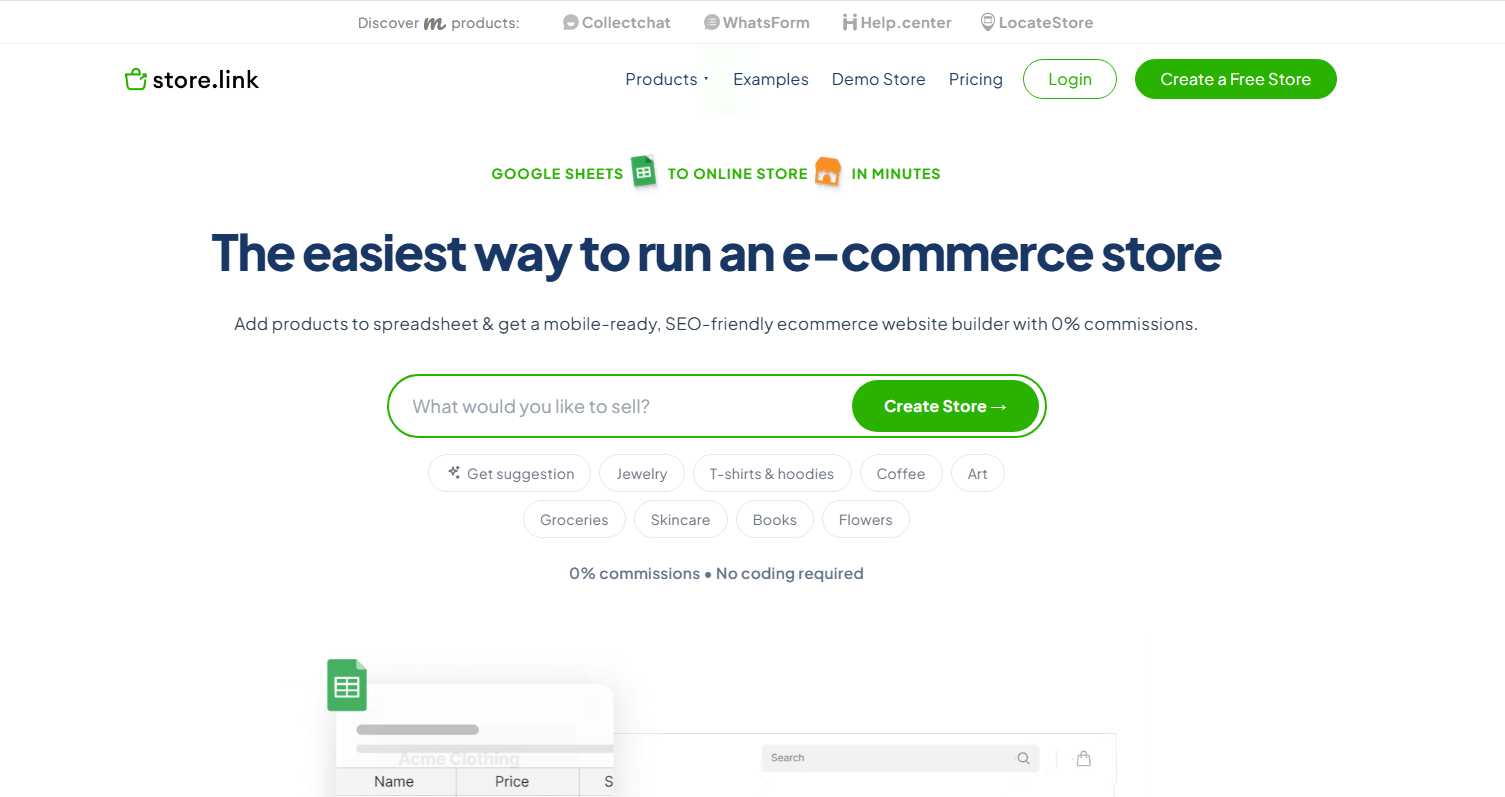
Many ecommerce platforms include advanced features that small businesses may not need, making them more complex to use. Storelink offers a simpler solution by using Google Sheets to manage products, pricing, and inventory, so there is no new dashboard or technical setup to learn.
With Storelink, you can:
- Add or update products directly from Google Sheets.
- Manage pricing and inventory in one place.
- Accept payments through Stripe, PayPal, Razorpay, Square, or custom payment links.
- Launch your online store in minutes without plugins or developers.
Storelink is ideal for local retailers, creators, freelancers, home-based businesses, and startups. It offers a free plan, with paid plans supporting branded subdomains and custom domains.
Ecommerce Statistics and Market Trends
Here are a few key statistics shaping the future of ecommerce:
Global ecommerce revenue is expected to exceed $8 trillion by 2028, driven by mobile shopping and emerging markets (Statista).
Mobile devices generate more than 50% of global web traffic, making a mobile-friendly store essential (Statista).
Email marketing delivers an average return of $36 for every $1 spent, making it one of the most cost-effective marketing channels (Litmus).
Personalization drives growth, with faster-growing companies generating 40% more revenue from personalized experiences than slower-growing competitors (McKinsey).
These trends highlight the importance of mobile optimization, data-driven decisions, personalized experiences, and consistent customer engagement for long-term ecommerce success.
How to Choose the Right Ecommerce Tools
Choose ecommerce tools based on your current business needs. Start with the right ecommerce platform, as it should support your sales volume, payment methods, budget, and integrate with your existing tools.
Before choosing a tool, ask:
- What do I actually need to sell right now?
- How comfortable am I with technical setup?
- What is my monthly budget?
- Can my team manage this tool consistently?
- Does it integrate with what I already use?
The best ecommerce tool is the one that fits your business. Large businesses may prefer Shopify, WooCommerce, or Adobe Commerce. Small businesses can choose Storelink to manage products, pricing, and inventory with Google Sheets, making setup quick and simple.
Also read: How to Start Ecommerce Business in 20
Conclusion
Ecommerce tools help online businesses build stores, manage products, collect payments, track performance, support customers, and grow sales.
The right tools make your business easier to run. They reduce manual work and help you give customers a smoother experience from the moment they land on your store to the moment their order arrives.
There is no single stack that works for every business. Start with what you actually need, make sure the basics are solid, and add more capability as your operation grows.
FAQs
What are ecommerce tools?
Ecommerce tools are software applications that help businesses sell online. They cover store creation, payments, inventory, marketing, analytics, shipping, and customer support. Most businesses use a combination of tools rather than relying on a single platform for everything.
What is the difference between an ecommerce platform and ecommerce tools?
An ecommerce platform is the foundation: it handles your store, product catalog, and checkout. Ecommerce tools are the additional software you connect to it, such as email marketing platforms, inventory systems, analytics tools, and customer support software. The platform is the core; the tools extend what it can do.
What is the most important tool for an ecommerce website?
The ecommerce platform itself is the most important decision because every other tool connects to it. Once that is in place, analytics and payment processing are the next priorities, since they directly affect whether you understand your store and whether customers can complete purchases.
Are there free ecommerce tools available?
Yes. Storelink has a free plan that lets you set up a store without a monthly fee. Google Analytics 4, Google Search Console, Canva, and Mailchimp all offer free plans. Most major tools offer either a free tier or a trial period, so it is worth testing before committing to a paid plan.
What is a Powerful Tool For An E-commerce Website?
One solid online store builder pulls together site creation, item handling, checkout systems, data tracking, along with promotion tools. Tools like Storelink, Shopify, or WooCommerce see heavy use since they cover everything an online shop needs.