


Every holiday season, small online stores run into the same problems. A best seller sells out on day one, a coupon code doesn't work, or a parcel arrives after the holiday it was meant for. An ecommerce holiday sale checklist helps you catch these before your customers do.
This guide covers when to start, the 10 things to check before your sale, simple offer ideas, and how to set everything up in Storelink.
On this page
- What Is a Holiday Sale Checklist?
- When Should You Start Preparing?
- Your Ecommerce Holiday Sale Checklist
- Holiday Offer Ideas for Small Stores
- How to Set Up Your Holiday Sale in Storelink
- Closing Thoughts
- FAQs
What Is a Holiday Sale Checklist?
A holiday sale checklist is a short list of everything your store needs before a big sale: stock, offers, shipping, promos, and support.
It covers sales like:
- Black Friday and Cyber Monday
- Christmas and New Year
- Local festivals and holidays in your country
The idea is simple. Do the work early, so sale week is about packing orders, not fixing problems.
When Should You Start Preparing?

Start four to six weeks before your sale if you can. In 2026, Black Friday is on November 27 and Cyber Monday is on November 30.
Here's a simple way to spread the work:
| When | What to do |
|---|---|
| 4–6 weeks before | Pick dates, check stock, choose your offer |
| 2–3 weeks before | Update product pages, set shipping, test your store |
| 1 week before | Create coupons, plan posts, write saved replies |
| Sale week | Check stock and messages every day |
| After the sale | Thank customers, restock, take notes |
Starting late? Do three things first: check stock, set shipping cutoffs, and place a test order.
Your Ecommerce Holiday Sale Checklist
1. Pick your dates and one goal
Choose an exact start and end date. Then pick one goal, such as clearing old stock, getting new customers, or selling more to past buyers. One clear goal makes every other choice easier.
2. Check your stock
Count what you really have, not what your store says. Reorder best sellers early, because suppliers get busy too. Mark or hide anything that's sold out so nobody orders it by mistake.
3. Choose your offer
Pick one or two offers you can explain in a single line. A coupon, a free gift, or free shipping over a set amount all work well. See Holiday Offer Ideas for Small Stores below for more.
4. Update your product pages
Use clear photos and show the sale price next to the regular price. Add a short "great gift for…" line to your top products. If shoppers have to ask a question, add the answer to the page.
5. Set shipping cutoffs
Ask your courier for their holiday cutoff dates. Set your own "order by" date a few days earlier and show it on your homepage and product pages. Offer local pickup for last-minute buyers if you can.
6. Test your store on a phone
Open your store on your phone and tap through a product, the cart, and checkout. Many shoppers will come from a social post, so this is the path they'll take.
7. Place a test order
Try every payment method you offer. Apply your coupon code and check that the discount shows up. Make sure the order confirmation reaches you and the customer.
8. Plan your WhatsApp and Instagram posts

Write your posts before the sale starts. A simple plan looks like this:
- A teaser a few days before
- A launch post on day one
- A reminder in the middle
- A "last chance" post on the final day
Share them on WhatsApp Status and Instagram Stories, and put your store link in your Instagram bio. Only message customers who've chatted with you before.
9. Get ready for more orders and questions
Write saved replies for common questions about shipping, sizes, and returns. Set a daily packing time. If you can, ask someone to help with replies or packing during sale week.
10. Write a clear returns policy
Gift buyers worry about the wrong size. Explain how returns and exchanges work for holiday orders, put it on its own page, and link to it from your product pages.
Holiday Offer Ideas for Small Stores

The best holiday offer is one your customers understand at a glance and you can still afford. Here are five that work well for small stores:
| Offer | Example | Good for |
|---|---|---|
| Sale price | A lower price on selected items | Clearing stock |
| Discount coupon | A code for a percentage or flat amount off | Rewarding followers and past buyers |
| Buy X Get Y | Buy 1, get 1 free, or buy 2, get 1 free | Moving more units of one product |
| Free shipping over a set amount | Free delivery on bigger orders | Raising order size |
| Bundle | Two or three related items together | Gift buying |
Before you pick a discount, work out your real cost per order: product, packaging, shipping, and payment fees. A smaller offer that still makes money beats a big one that doesn't.
Discounts work for small stores too: 72% of US small business owners say they've been their most effective tactic during past holiday sales, according to a Xero survey.
How to Set Up Your Holiday Sale in Storelink
Storelink is a no-code online store builder that runs on Google Sheets. Here's how to set up each part of your sale.
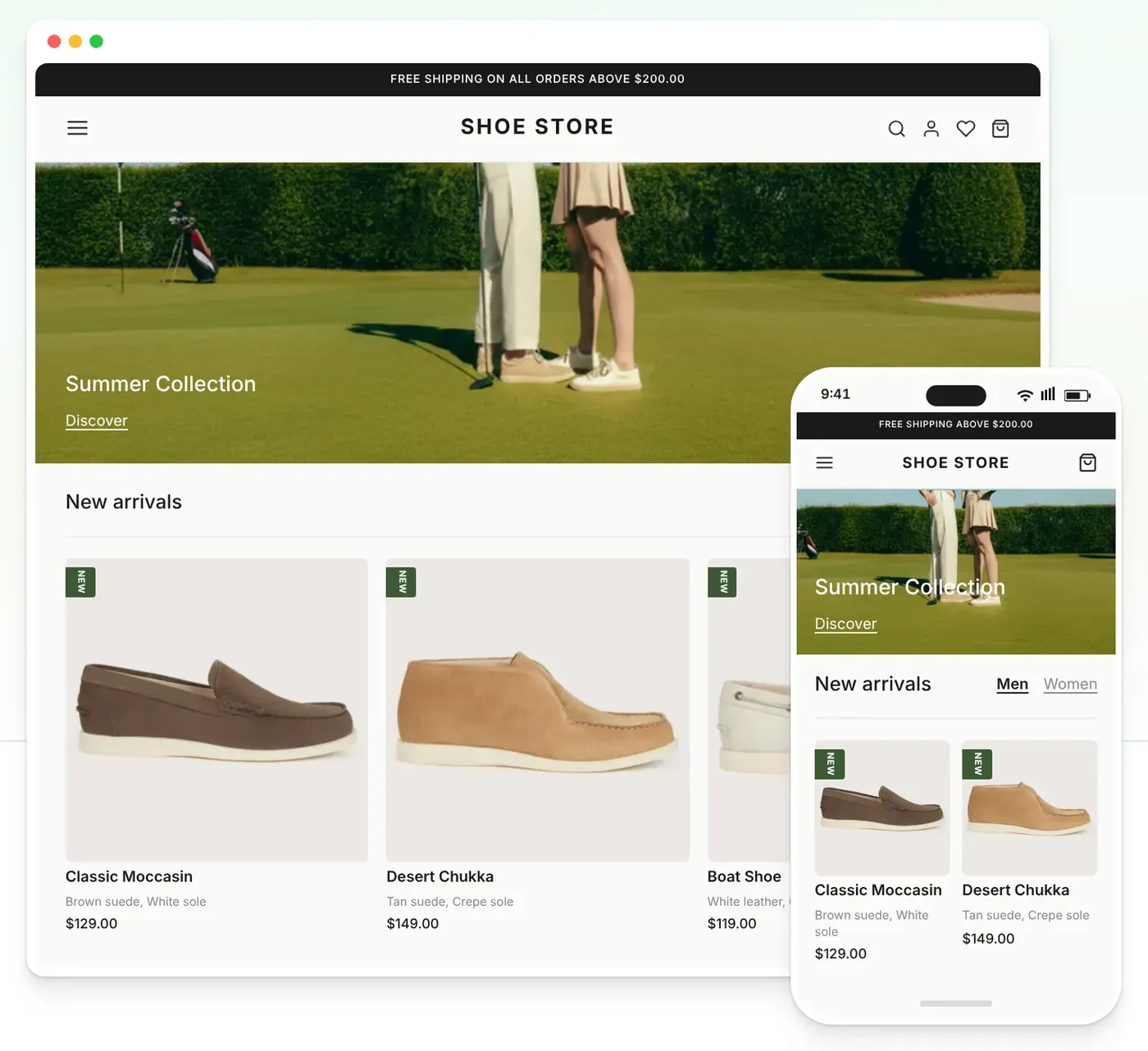
Show sale prices
- In your dashboard, go to Products and click Open Product Sheet.
- Add the sale price in the Discounted Price column.
Your store shows the new price with the original price crossed out.
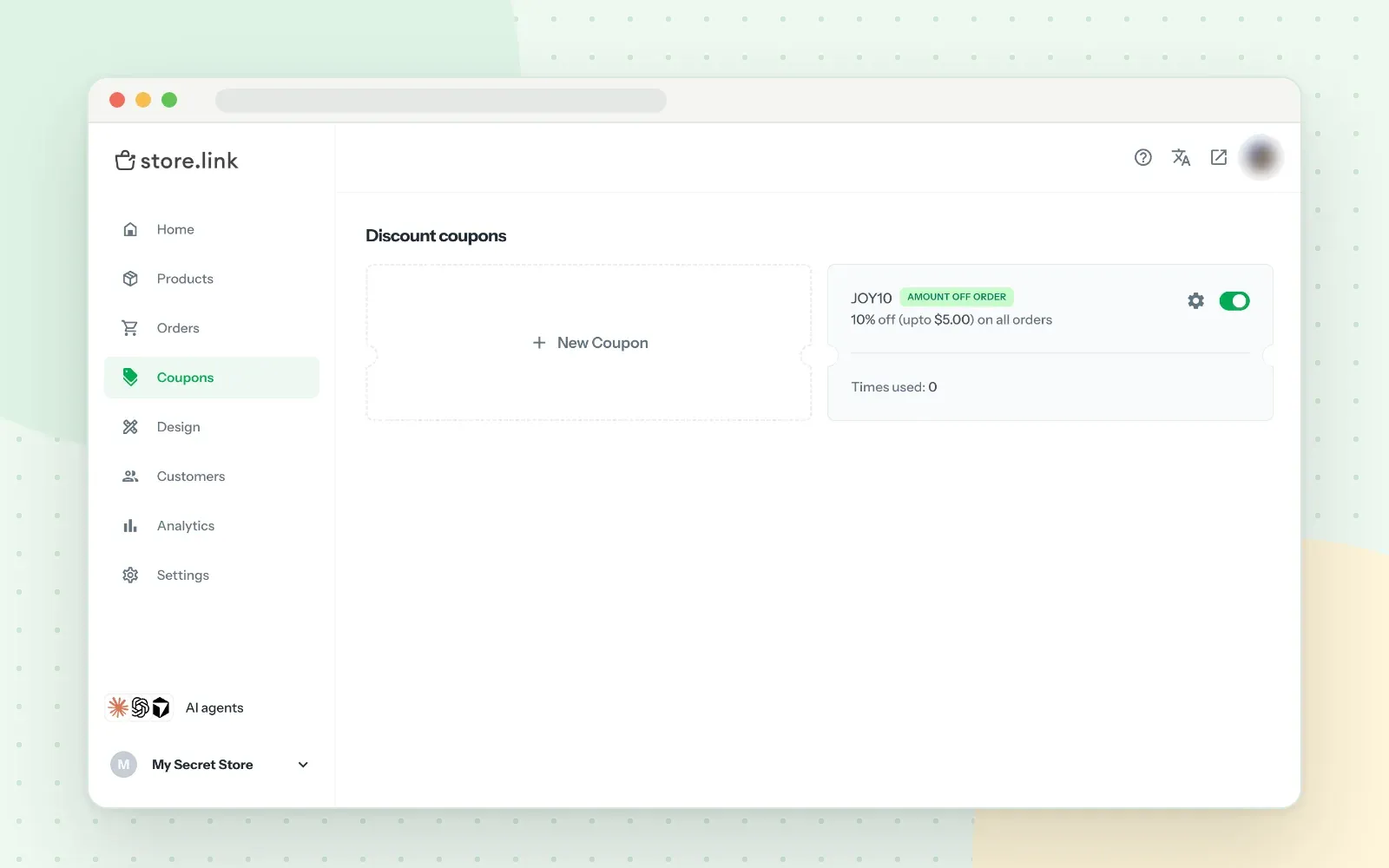
Create a discount coupon
- Go to Coupons and click + New Coupon.
- Choose Amount Off Order for the whole cart, or Amount Off Product for selected products or categories.
- Enter a Coupon Code, such as HOLIDAY.
- Choose Percentage Discount or Flat Discount and enter the value.
- Set the start and end dates to match your sale.
- Choose Once Per Customer or Unlimited, then save.
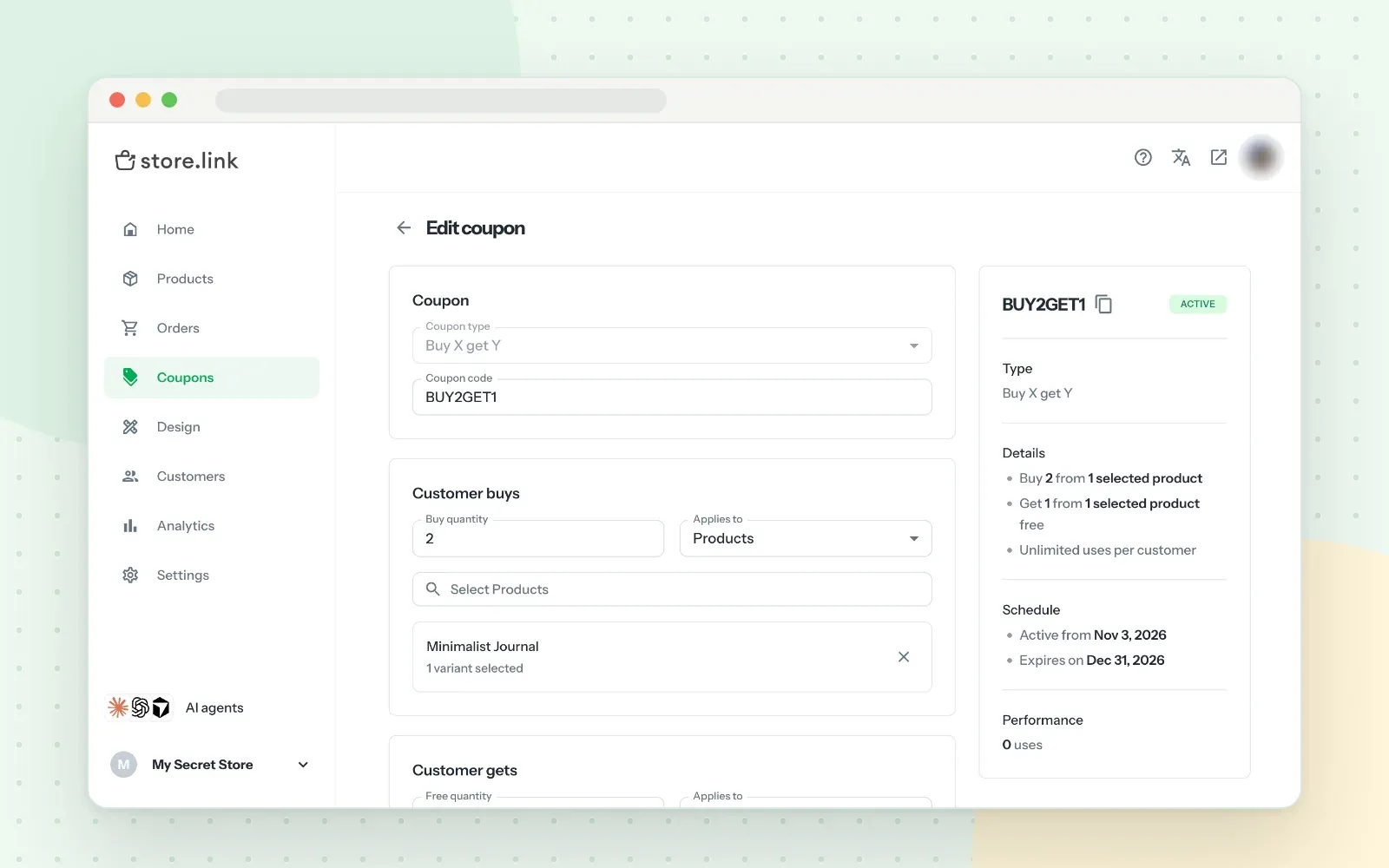
Create a Buy X Get Y offer
- Go to Coupons and click + New Coupon.
- Choose Buy X Get Y and enter a coupon code.
- Under Customer buys, set the Buy quantity and pick the products or categories.
- Under Customer gets, set the Free quantity and pick the free item. It can be the same product or a different one.
- Set the start and end dates, then click Create Coupon.
Test it: add the items to your cart, enter the code at checkout, and click Apply.
Keep stock accurate
Your Product Sheet has a Stock column that goes down as items sell. Set Availability to Out of Stock to grey out an item, or Hide to remove it from your store.
To stop one buyer from taking all your stock, add a Maximum Quantity column and set a limit for each product.
Set shipping and pickup
Go to Settings > Shipping and click Add shipping. Add Pick up for local buyers and Delivery for everyone else. Use Free Above to offer free shipping on bigger orders.
Announce your sale
Go to Design > Homepage > Content and add a Banner Image or Banner slides for your sale. With a Storelink WhatsApp store, orders also arrive straight on your WhatsApp number.
Closing Thoughts
A good holiday sale doesn't need a big team. It needs a few things done early: stock checked, one clear offer, shipping dates shared, and a test order that works.
Pick three items from this checklist and do them this week. If you want a store you can update as easily as a spreadsheet, Storelink lets you build one from Google Sheets with no code.
FAQs
When should I start preparing for a holiday sale?
Four to six weeks before is ideal. That gives you time to restock, set up offers, and test your store. If you're short on time, focus on stock, shipping, and a test order first.
What should a holiday sale checklist include?
Your sale dates and goal, stock levels, your offer, product pages, shipping cutoffs, a phone and checkout test, your promo posts, saved replies, and a returns policy.
Can I create coupons in Storelink?
Yes. Go to Coupons and click + New Coupon. You can create a discount on the whole order, a discount on selected products or categories, or a Buy X Get Y offer.
How does a Buy X Get Y offer work?
The customer adds a set number of qualifying items to their cart and gets other items free. In Storelink, you choose the products, the quantities, and the dates, and the customer applies the code at checkout.
How do I stop overselling during a sale?
Count your real stock before the sale and check it every day. In Storelink, the Stock column updates as items sell, and you can set a Maximum Quantity per order for popular products.