


Building an ecommerce website is a kickstart to your business journey. However, doing this all alone can be quite overwhelming. That’s why you need tools like online store builders, ecommerce website builders, etc. Creating a website that drives sales involves research, data collection, and considering factors such as ease of use, scalability, and more. Understanding how to build an ecommerce website is significant.
This is a comprehensive guide that will tell you all you need to know. Let us learn how to get started in ecommerce.
Table of Contents
What Is an eCommerce Website?
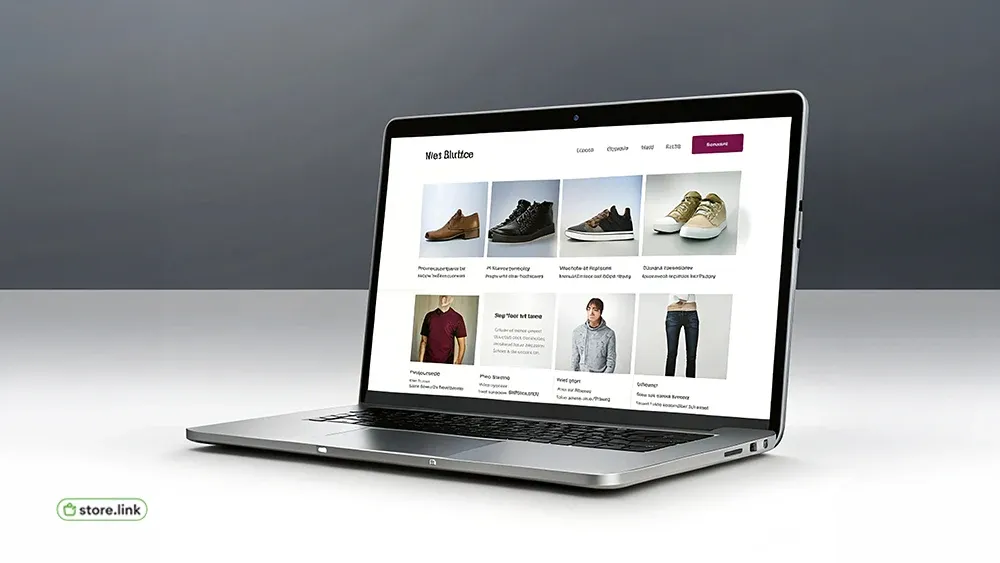
An eCommerce website is an online platform where people can buy products or services directly from your business.
This can include physical products, digital downloads, subscriptions, or even services, all managed in one place.
In simple terms, it is your online store.
But it’s not just about selling. A good eCommerce website helps customers:
- Discover your products
- Understand what you offer
- Build trust in your brand
- Complete their purchase smoothly
How an eCommerce Website Works
An eCommerce website allows businesses to handle everything in one system, from showcasing products to processing payments.
Customers can browse products, add items to a cart, and complete their purchase without leaving the website.
Why Create an eCommerce Website?
Because it gives you leverage.
A physical store depends on location, timing, rent, staff, and foot traffic. An eCommerce website removes much of that limitation and lets you run your business with more flexibility and control.
Your store can stay open 24/7. Customers can find you from anywhere. And most importantly, you can learn and improve faster.
Benefits of an eCommerce Website
- Lower Costs - No need to open up physical storefronts
- 24x7 Open - Your store never closes, and customers can shop anytime
- Global Reach - Sell your products to anyone in the world
- Data Insights - Track customer behavior to easily manage
- Scalability - Grow the business to the top tier without any major infrastructure
How To Get Started in eCommerce?
Figuring out how to get started in ecommerce is definitely not a simple process for newbies. Here is a simple roadmap that you can follow.
Step 1 - Choose your Niche
Focus on a specific product category. Choose a particular audience. Being too broad can make it difficult to manage. It is good to first choose a niche, focus on it, grow it, and then expand to others.
Step 2 - Validate your Idea
Start by identifying who the giants of the niche are. Once you find them, you can see what these competitors are doing. Research and study them properly. Analyze the demand. For that, tools like Google Trends can be used. Now you have to find your unique selling product.
Step 3 - Decide What you want to Sell
This is a crucial step. You have to decide what kind of product you want to sell. Is it a physical product or a digital product? Or, is it a service that you want to offer? Or, do you want to dropship items?
If you have a clear foundation, then you can easily build ecommerce website infrastructure gradually.
How To Build An eCommerce Website Step-By-Step
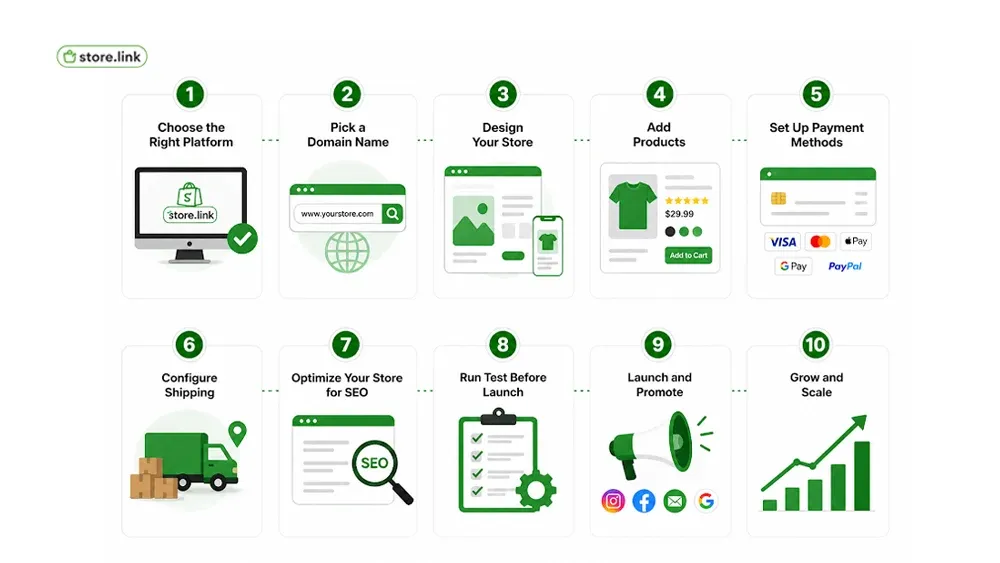
Building an eCommerce website is not just about setting up pages, it’s about creating a store that people can understand, trust, and buy from easily.
Let’s go step by step.
Choose the Right Platform
Selecting the right platform for your business is really critical. These are what you should look for while choosing your platform:
- Ease of use
- Options for customization
- Payment integrations
- Mobile responsiveness
- SEO capabilities
This is where tools that have simplified the process come to help. One such tool is Store.link, which provides a streamlined online store builder experience.
Pick a Domain Name
Your domain name is your online identity. So this should be something that you take seriously. What to consider while choosing a domain name:
- Keep the domain short
- It should be easy to remember
- Generally good to avoid numbers and hyphens
- Try to use relevant keywords, only if possible
Design your Store
A neat and clean design does play an important role. Intuitive designs often attract more traffic, which can improve the conversion. What you should focus on while designing your store:
- Simple to navigate
- Use only high-quality images of products
- Mobile-first layouts
- Clear CTAs
Add Products
The product pages of your ecommerce website are where the decision happens. Therefore, it should be of the best quality. What you ought to include in the product pages:
- Clear product titles
- Detailed descriptions
- Clear pricing
- Are any product variants available
- High-resolution images
- Customer reviews, if available
Set Up Payment Methods
You have to offer multiple payment methods. This reduces the friction. The payment page is where most people quit shopping. Therefore, add the most payment options. This will make the customer feel that they have flexibility.
- Credit cards, debit cards
- Apple Pay, Google Pay
- PayPal
- Local payment gateways
Configure Shipping
You have to configure shipping. Because customers receiving the products safely and in time impacts your credibility. So, decide how the customer will get their product once they place an order.
- Free shipping
- Flat rates
- Real-time carrier rates
Always be transparent about delivery timelines and any charges. Do not add any hidden charges that the customer will find only at the last minute.
Optimize your Store for SEO
If you want to successfully build an e-commerce website traffic, then SEO is essential. Here are the best practices that you can find.
- Use keyword-rich product titles
- Write unique descriptions for products
- Optimize images with alt text
- Create URLs that are SEO friendly
- Add meta titles
- Add meta descriptions
Run Test before Launch
Before you go live, always run tests. This will help you to find and fix anything that is broken or needs improvement. Here is a checklist for you before launching.
- Test checkout processes
- Check mobile responsiveness
- Check payment gateways
- Fix any broken links
Launch and Promote
Once you launch your ecommerce website and go live, it is time to focus on promoting. Start marketing your business platform.
- Social media campaigns
- Email marketing
- Influencer collaborations
- Paid ads (Google, Meta)
This is where all the effort that you put into how to build an ecommerce website will start to pay off, finally.
Essential Tools For eCommerce Success
Here is a quick comparison of all the tools that you can not say no to. This is needed for the success of your ecommerce website.
Common Mistakes To Avoid?
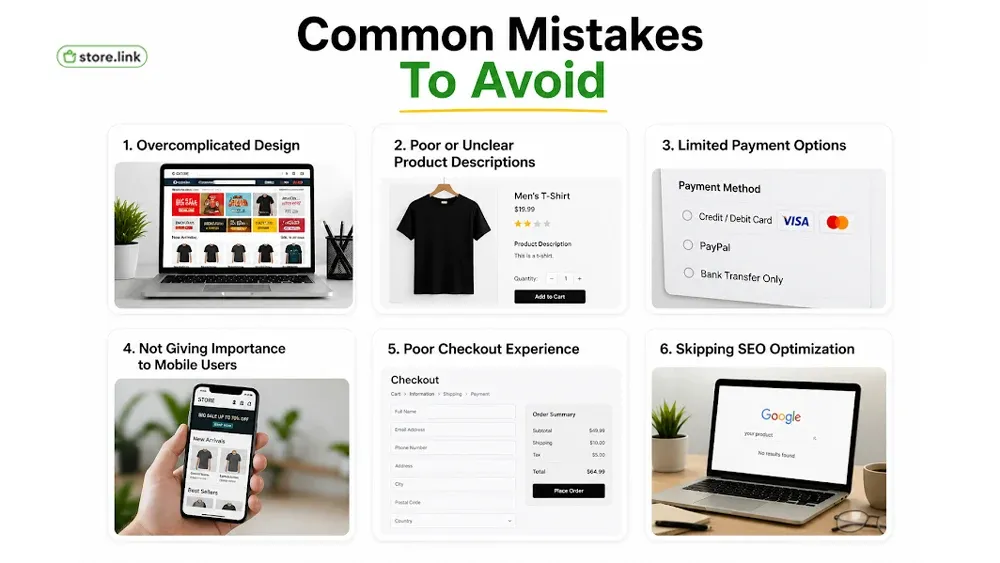
Even while you use the best tools, some mistakes can hurt your performance badly. Let us see what the common mistakes that businesses make without realizing.
Overcomplicated Design
Trying to do too much often backfires.
Too many banners, sections, or distractions can confuse users and make navigation harder.
A simple, clean store almost always performs better than a cluttered one.
Poor or Unclear Product Descriptions
Generic or copied descriptions reduce trust.
If customers don’t clearly understand:
- What the product is
- Who it’s for
- Why it’s useful
They won’t buy.
Your product page should answer real customer questions.
Limited Payment Options
If customers don’t see a payment method they trust, they leave.
A restricted checkout experience increases cart abandonment.
Offer flexible options like cards, wallets, and popular payment methods.
Not giving importance to mobile users
Most users visit your store on mobile first.
If your website is slow, broken, or hard to use on a phone, you lose sales instantly.
Mobile-first design is no longer optional.
Poor Checkout Experience
This is where many stores lose customers.
Common issues:
- Hidden charges
- Complicated forms
- Slow or confusing process
A smooth, transparent checkout directly improves conversions.
Skipping SEO optimization
Without SEO, your store depends only on ads or direct traffic.
That limits long-term growth.
Basic SEO helps people discover your store organically.
Why Use Store.link For Your eCommerce Website?
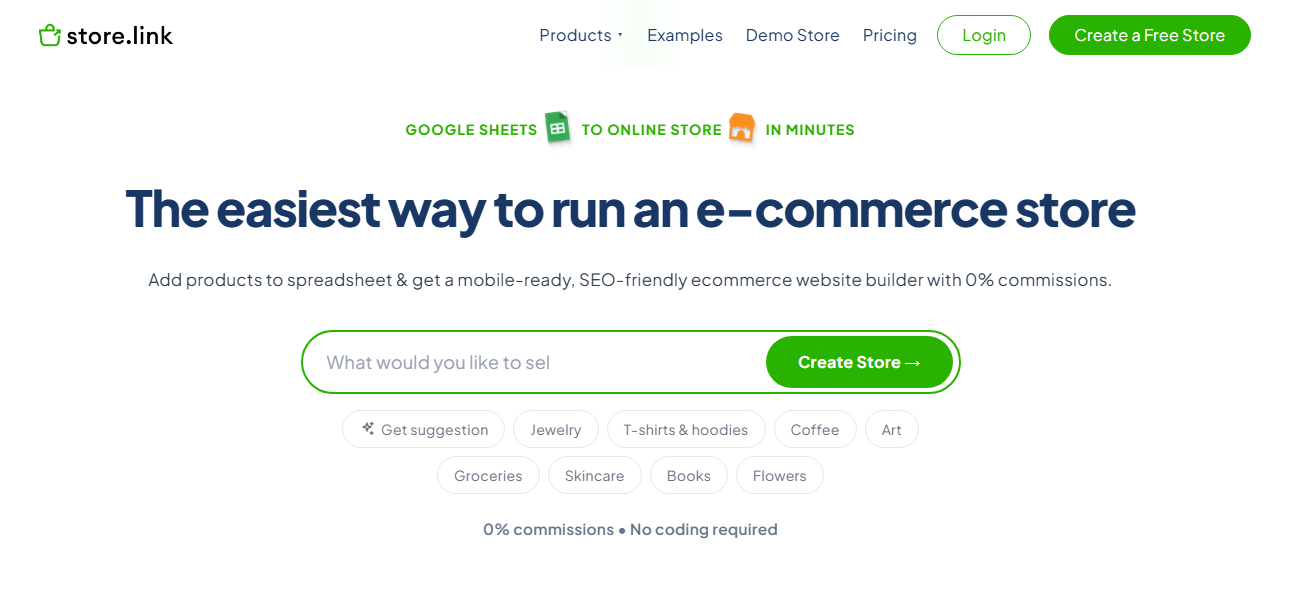
Store.link is designed for those who love simplicity while getting this done quickly. It is ideal for beginners and professionals alike. The key advantages of Store.link are as follows:
- No technical skills required
- AI-powered instant store, product, and section creation
- Quick setup using pre-built templates
- Integrated checkout system
- Mobile-optimized storefronts
- Built-in SEO tools
- Easy store management using Google Sheets
- Receive order details directly in Google Sheets
- WhatsApp integration for order communication
- Branded domains available (yourbrand.store.link)
If you really want to dig deep into how to get started in e-commerce, choosing the right platform can save you money and time.
Also read: 10 E-Commerce Trends: The Future of Online Shopping
Final Thoughts
Creating an online store for your business is an impactful step today. By understanding what an e-commerce website is and why it matters, you can learn how to build an e-commerce website for the long term.
Modern platforms like Store.link have made the process simpler and faster for everyone. Now, building an e-commerce website is more accessible than ever. You can be launching your first-ever product, or you can be scaling a business that already exists; now is the time to act.
FAQs
Can I create an eCommerce site for free?
Yes, you can create an eCommerce site for free. There are multiple free tools that will let you do this. One such prominent tool is Store.link, where you can access all the basic features without having to pay anything.
What is the best way to build an eCommerce website?
The best way to build an eCommerce website is to use an online store builder or ecommerce website builder. Such tools provide pre-built templates and offer easy setup. This way, you can just build your website even if you do not have any technical knowledge.
What do you need to start an eCommerce site?
You need a product, a domain name, and an ecommerce website builder to start an ecommerce site. Other things that you are going to need are payment gateways and product content. Once you have all these, you can launch your website.
Best ecommerce website builder for a small business?
The best ecommerce website builder for small businesses is the one that is affordable, easy to use, and scalable. Platforms like Store.link are ideal choices because they offer you with easy setups, built-in features, and zero technical complexity.