When you create an online store with StoreLink, your store automatically gets a default URL; something like store123.store.link.
While this works fine, it doesn’t exactly reflect your brand. The good news is, you can easily change this to a custom name (for example, yourbrand.store.link) directly from your settings. This way, you won't need to buy a domain or pay extra for a custom URL.
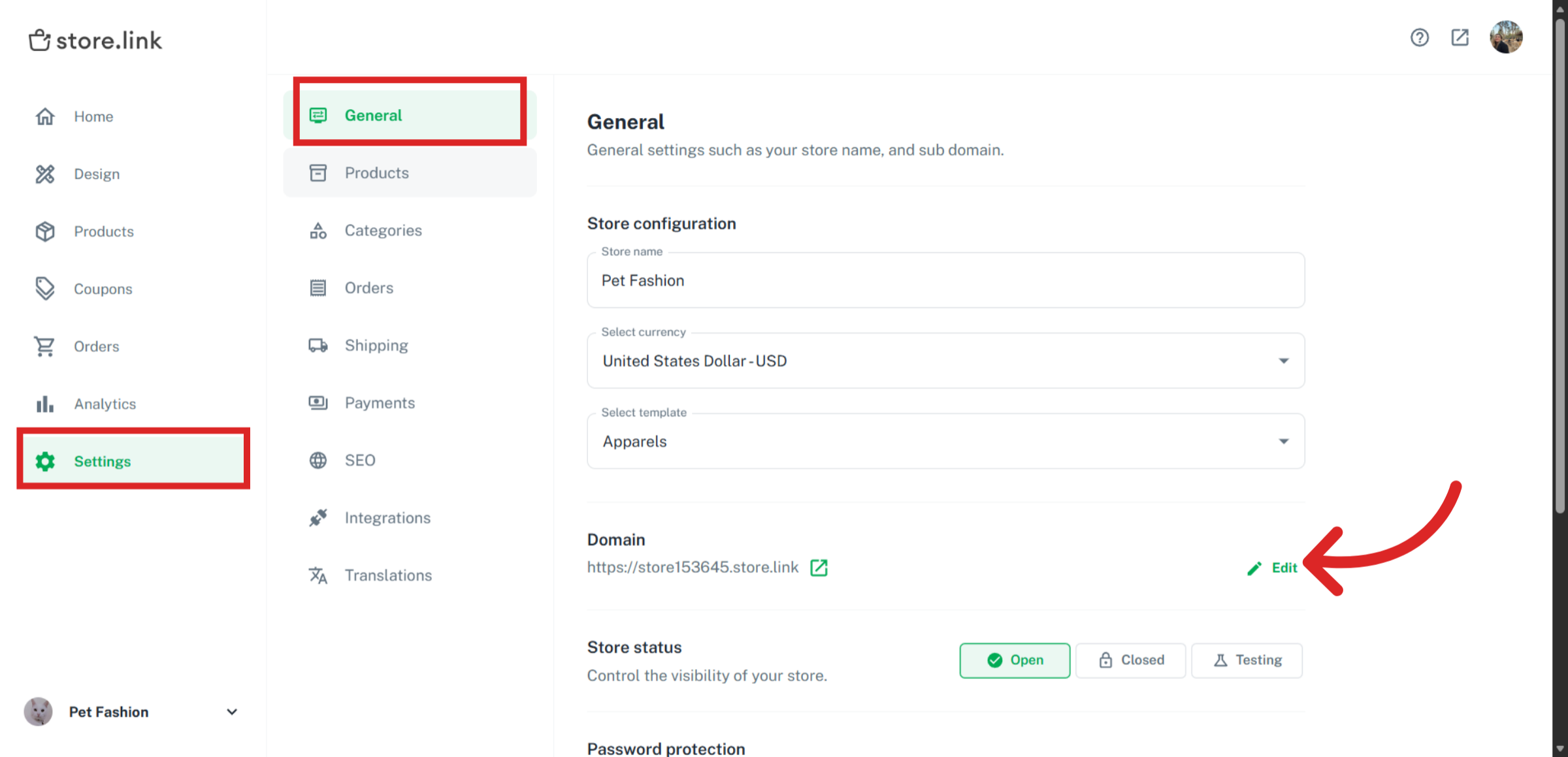
On your dashboard, click on Settings > General. Under Domain, click on Edit.
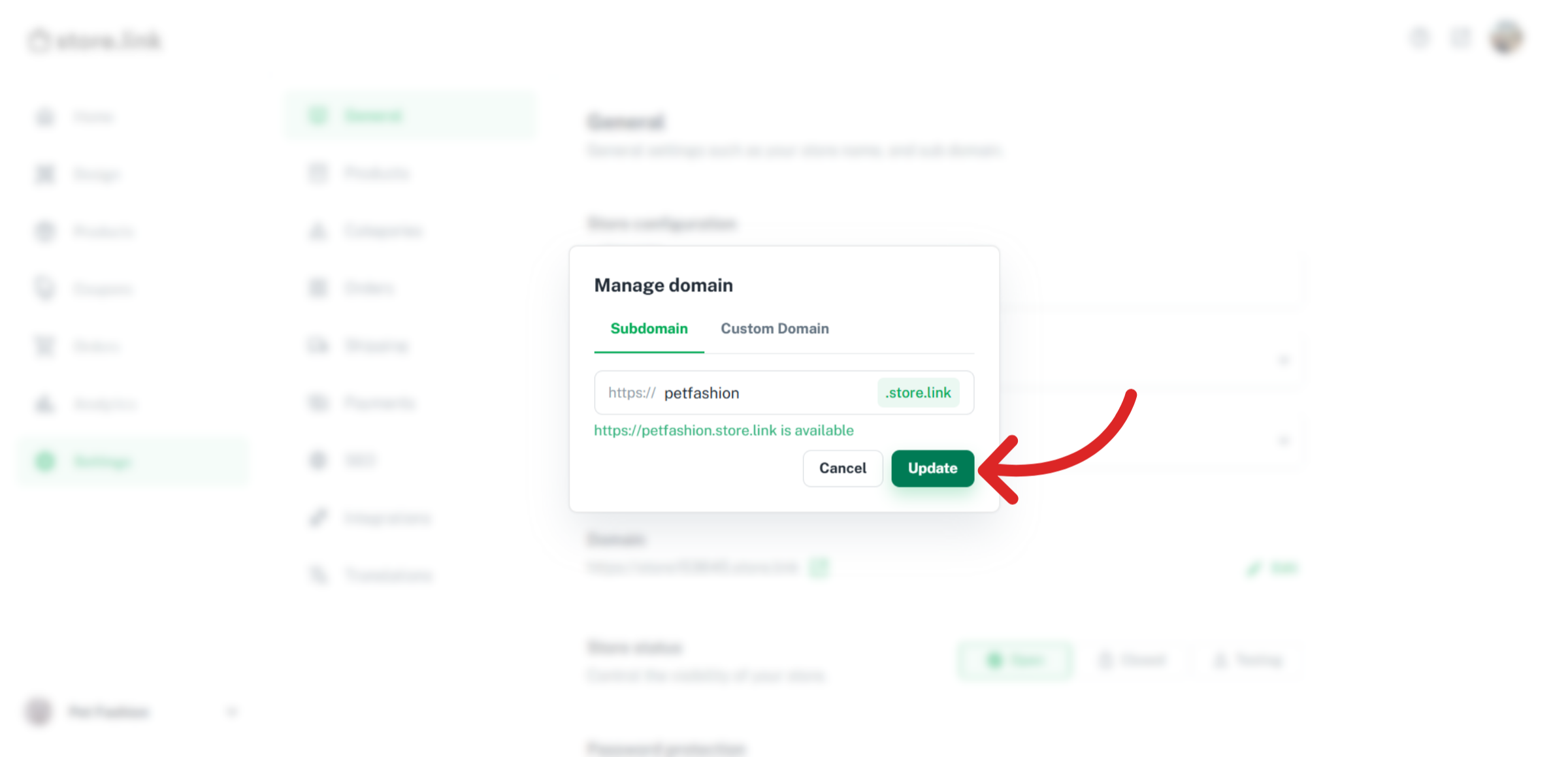
Under Subdomain, choose a name that suits your brand and click on Update.
Note
This is one of the premium features of StoreLink
Was this article helpful?
Still need help?
Contact us